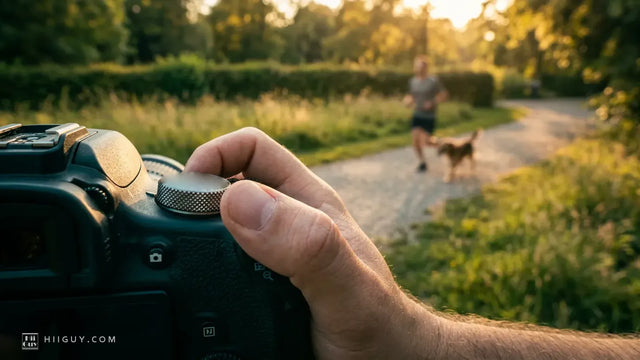
Someone is standing in a supermarket car park with a camera bag and twenty minutes of patience. You have cash in your pocket, a listing on your phone and no real idea what you are looking at. This is the awkward middle of buying a used DSLR, and the way through it is not instinct. It is a list, run in order, fast enough that the seller does not get bored.
Nine checks. The first seven can be fixed, serviced or lived with. The last two cannot, which is why they are last. Work down the list and stop at the first thing that is a no.
What to take with you when buying a used DSLR
A memory card you have already formatted, so you can shoot and then take your test frames home. A lens you trust, if you own one, because a soft picture from an unknown body on an unknown lens tells you nothing about either. Your phone, for the torch and for the screen brightness. And somewhere flat and pale to point the camera at, which in a car park is usually the sky or the side of a white van.
Ask before you leave the house whether the battery will be charged. Half the checks below need the camera switched on for a few minutes, and a seller who turns up with a flat battery has either not thought about it or is hoping you will not look.
The nine checks, in the order to run them
1. The serial number, and whether the story holds
Read the serial on the base plate and compare it with the box, the receipt or the original listing photos. Then open the setup menu and look at the firmware version. These take thirty seconds together, and what you are testing is not really the camera. It is whether the person in front of you knows this camera. Someone selling their own gear can tell you when they bought it and what they shot with it. Someone clearing a house or moving stock cannot, and that changes what the rest of the list is worth.
2. The body in your hands, before you switch it on
Hold it like you would hold your own. Thumb rest rubber lifting at the corner, grip rubber shiny and stretched, screws with chewed heads, paint worn through to brass on the edges. Open the battery door and the card door and wiggle both hinges. Put a fingernail in the tripod socket thread and feel whether it is clean or cross-threaded by somebody's plate.
None of this is a deal breaker on its own. All of it together is a story about how the camera has lived, and plastic and rubber wear out long before anything mechanical complains.
3. The battery info screen
This is the check almost nobody runs, and on a Nikon body it is sitting in the setup menu waiting for you. Nikon's own D7500 manual describes what the Battery Info screen shows: the charge as a percentage, and the number of times the shutter has been released with that battery since it was last charged.
Then there is the item that matters. Nikon publishes a five-level battery age display, and the manual is blunt about the ends of the scale: 0 means battery performance is unimpaired, and 4 means the battery has reached the end of its charging life and should be replaced. A 3 or a 4 is not a reason to walk, because a battery is a consumable, but it is money you will be spending in the next few months and it belongs in the price.
One honest caveat from the same manual, worth knowing before you accuse anyone of anything: a battery charged in the cold, below about 41 °F, can read temporarily worse than it is, and the display settles down again once it has been recharged at around 68 °F or warmer.
4. The shutter count, read against the model
Get the number, then do not treat it as a verdict on its own. Different tiers of body are tested to very different cycle figures, and a reading that looks alarming on an entry-level body is ordinary on a semi-pro one. We went through what the manufacturers actually publish, and what the figure is worth, in how many shutter clicks are too many on a used DSLR. Read that before you meet anybody, not after.
5. The mirror and the viewfinder
Take the lens off in a sheltered spot, point the body down, and look into the mirror box with your phone torch at an angle. You are looking for oil specks on the mirror, scratches across it, and dust on the focusing screen above it. Dust on the screen is cosmetic and shows in the viewfinder but never in a photograph. Oil on the mirror is a different conversation.
Put the lens back on, look through the finder and run the diopter wheel to both ends to check it moves and holds. Half-press and watch the focus points light up, each of them, not just the middle one.
6. The sensor, at f/11, against something plain
There is a manufacturer-published way to do this, and it takes a minute. Sony's own support page for checking sensor dust says to photograph a white wall or paper, or a cloudless sky, with the mode dial on A, the f-number set to about F11, and to take several test shots. If dust is on the sensor, dark spots appear on all the photos in the same area. That is the tell. A mark that moves between frames is on your subject; a mark in the same spot every time is inside the camera.
While the camera is out, do the dark frame too. Lens cap on, manual mode, a few seconds of exposure, then zoom into the result on the screen. Bright single dots that should not be there are hot pixels. A handful is normal on any used body and most cameras can map them out. A constellation is not.
Dust itself is cleanable and should be a small discount, not an exit. Scratches on the sensor filter are an exit.
7. Autofocus, properly, not just once
Tape the listing or a newspaper flat to a wall, stand square to it, and autofocus on it a dozen times from different starting distances with the lens racked out of focus between attempts. You want the same result a dozen times. Hunting, a hesitation before lock, or a body that nails it in live view and misses through the viewfinder is a phase-detect alignment problem, and that is a service job rather than a setting.
Then work every dial, button and switch twice, write to the card, format the card in the camera, and fire the pop-up flash if there is one. Cheap faults hide in the small electrical things.
8. Water, salt and what is inside the body
Here is the first of the two that cannot be undone. Look at the battery contacts and the tripod plate area for green or white crust, check the card slot pins with the torch, and look at the edge of the rear screen for anything that looks like it dried there. Sand in the mode dial. A faint tide line under the LCD cover.
Nikon puts the consequence plainly in its own care instructions: dust or other foreign matter inside the camera may cause damage that is not covered under warranty. Corrosion from salt air or a soaking is slow, internal and ongoing, and no amount of cleaning the outside reverses it. If you see it, walk away, whatever the price is.
9. Whether anyone can still service it
The second one you cannot fix later. Nikon's own guidance for its cameras is that the body be inspected once every one to two years and serviced once every three to five years. Ask the seller when, if ever, that happened. Most will say never, and that is fine as an answer, but it tells you what you are buying.
The bigger question is whether parts still exist for the model you are looking at. A body that is a decade old with a shutter fault can be beyond economic repair not because the repair is hard but because the part has run out. Check that before you decide a cheap old pro body is a bargain.
The two that cannot be fixed later
Everything in checks one through seven is a number to negotiate with. Worn rubber, a tired battery, a dusty sensor, an autofocus system that wants calibrating, these are all costs you can put a figure on and knock off the asking price.
Checks eight and nine are different. Corrosion is a camera dying slowly from the inside, and an unsupported model is a camera with one life left in it. Neither shows in a photograph of the body, neither appears in a listing, and neither gets better. That is why they are the last thing you look at and the first reason to walk.
What a sensible offer sounds like
Be specific rather than vague. Naming what you found, and what fixing it costs, is a far better position than asking for a round number off, and it is also honest. A seller who has nothing to hide will usually meet you on a real fault and will dig in against a shrug.
If the body passes everything and the price is fair, pay it and go. The hunt for a perfect second-hand camera is how people end up buying nothing for six months.
The one thing that will not have aged well

A used body nearly always arrives wearing the strap that came in the box, and that strap has done the same years the camera has. Thin webbing, a printed model name across it, plastic sliders that have gone chalky, and no second line of attachment if a split ring works loose. It is the cheapest part of the whole purchase to replace and the only part holding the rest of it off the ground.
The HiiGuy strap is heavy-duty polyester webbing into a wide padded shoulder pad, with a stainless steel quick release at the camera end and a safety tether on the eyelet. It comes in two variations that differ only in how far they adjust, the Regular up to 32 inches on the body and the XXL up to 44 inches, and HiiGuy backs the HiiGuy strap for three full years. We have been making them since 2016, and for a camera that arrived with no warranty at all, knowing the strap carries one is a reasonable kind of comfort. If you are weighing it up, we argued the case both ways in should you replace the strap that came with your camera.
Then, once the body is yours, the fastest way to stop shooting it on the green square is our walk through the mode dial, one row at a time.