Two Nikon DSLRs, side by side on the used shelf, and one of them costs noticeably more than the other. That is where most people meet this question, and the listings are no help at all because both cameras photograph identically well in the hands of someone who knows what they are doing.
So the honest version of Nikon D3500 vs D5600 is not which camera is better. It is what the gap between them buys, whether you will use it, and which of the two is quietly better at things nobody puts on a box. Every number below comes from Nikon's own published specifications for each body.
Start with everything that is identical
This is the part that shortens the decision, and it is a longer list than the marketing ever suggested.
Both cameras use a 24.2 megapixel DX format sensor producing 6000 by 4000 pixel files. Both run ISO 100 to 25,600. Both shoot at up to 5 frames per second. Both have the same shutter range, 1/4000 of a second to 30 seconds. Both give 95 percent viewfinder coverage. Both take the same EN-EL14a battery and the same F-mount lenses.
Put two frames from these cameras next to each other, shot on the same lens in the same light, and nobody is picking the expensive one. The image quality question does not exist here. Spend the argument somewhere useful.
What the extra money actually buys
Three things, and they are real. Whether they are worth it depends entirely on what you photograph.
39 focus points instead of 11
The D3500 uses Nikon's Multi-CAM 1000 module with 11 selectable points. The D5600 uses the Multi-CAM 4800 with 39. That is the single biggest functional difference between the two bodies.
It matters less than the number implies for a landscape or a posed portrait, where you are placing one point deliberately and everything is still. It matters a great deal for anything that moves unpredictably across the frame. Eleven points leave large empty regions near the edges, so a subject drifting out of the centre hands you a choice between recomposing and losing focus. Thirty-nine points cover the frame densely enough that 3D tracking has somewhere to hand the subject off to.
Kids, dogs, sport, birds: the D5600 earns the gap. A tripod and a still subject: you will genuinely never notice.
A screen that flips out and responds to a finger
The D3500 has a fixed 3 inch screen with 921,000 dots and no touch capability at all. The D5600 has a 3.2 inch vari-angle touchscreen with 1,037,000 dots.
The resolution difference is trivial. The hinge is not. A screen that swings out and rotates is the difference between getting the shot at ground level and lying in wet grass to frame it, and between filming yourself and guessing. If you shoot low, shoot overhead over a crowd, or point a camera at your own face, that hinge is probably the strongest single argument in the D5600's favour, ahead of the focus points.
Touch matters less than people expect on a DSLR, because you spend most of the day with your eye to the viewfinder and the screen against your cheek. In live view it is genuinely nicer. Through the viewfinder it is irrelevant.
Connectivity and an interval timer
Nikon lists the D5600 with built-in Wi-Fi to 802.11b and 802.11g, Bluetooth, and NFC. The D3500 is listed with Bluetooth and SnapBridge only, and for Wi-Fi it says Eye-Fi compatible, which means a card, not a radio in the camera.
In practice that means getting pictures onto a phone from a D5600 is straightforward and from a D3500 is slower and fussier. The D5600 also supports interval timer photography, which the D3500's specification does not list. If time-lapse is something you actually want to do rather than something you imagine doing, that is a hard requirement and it decides the question on its own.
Three things the cheaper camera does better
Here is where the comparison stops being a straight line, and this is the section the spec-sheet roundups usually skip.
The battery life is not close. Nikon rates the D3500 at 1,550 shots to CIPA standard and the D5600 at 970. The cheaper camera takes roughly 60 percent more frames per charge. On a long day out, that is the difference between carrying a spare battery and not thinking about it, and CIPA testing is deliberately harsh, so real-world figures for both run higher while the ratio holds.
The viewfinder is bigger. The D3500 gives 0.85x magnification against the D5600's 0.82x. Both cover 95 percent of the frame, but the cheaper body shows you a slightly larger image through the eyepiece. It is a small difference and you would have to hold them back to back to be sure, though it does run the opposite way to everybody's assumption.
And it is lighter. Nikon gives the D3500 at 12.9 oz and the D5600 at 14.7 oz, so the cheaper camera saves you 1.8 oz. That is not much on its own. It is also 1.8 oz you are wearing for six hours.
Buying either one used
Both bodies are discontinued now, which means essentially every one you can buy has a history.
The number that tells you most is the shutter count, and neither camera displays it in a menu. Our guide to checking the shutter count on a used DSLR covers how to read it out of a file and what counts as high for an entry-level body. Check it before anything else. A cheap camera with a tired shutter is not cheap.
Two other things worth doing in the five minutes before money changes hands. Shoot a blank sky at f/16 and look at the frame at 100 percent for dust and dead pixels. And work through every focus point on the D5600 if that is the one you are buying, because paying for 39 points and receiving a body with a misbehaving AF module is the specific way this purchase goes wrong.
Whichever you end up with, the mode dial is where the camera stops fighting you, and we wrote a plain explanation of what each mode dial setting does for exactly this moment.
So which one
Buy the D3500 if you shoot landscapes, travel, family snapshots, street or anything largely still, and you want the longest possible day between charges. You are giving up focus points you would not have used and a hinge you did not need, and you are keeping the money.
Buy the D5600 if any of three things is true: your subjects move erratically, you want to shoot from below your knees or above your head, or you want time-lapse. Those are the three places the extra spend converts into pictures you could not otherwise take. The focus coverage alone justifies it for anyone photographing children or animals.
What should not decide it is image quality, because there is no difference, or megapixels, because they are the same number. If you are torn and neither list above is calling your name, take the D3500 and put the difference into a better lens. It is the single reliable way to make either of these cameras take better photographs.
One thing to sort out before the first day out

Both of these bodies ship with a thin branded neck strap, and it is the first thing most people replace. It is narrow, it sits on the vertebrae at the back of your neck, and it puts the camera flat against your chest where it bounces.
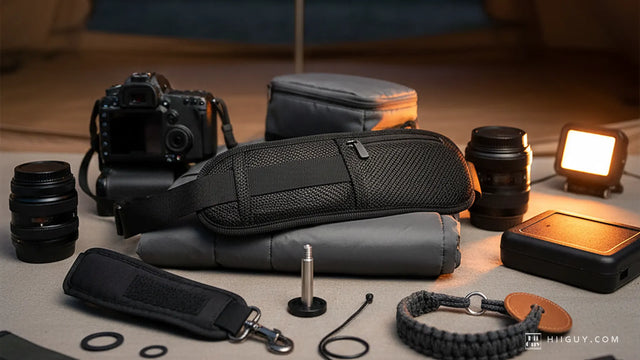
The HiiGuy strap moves the load onto one shoulder and hangs the camera lens-down at your hip instead, so a D5600 with a telephoto on the front stops levering against your ribs. It is heavy-duty polyester webbing into a wide padded shoulder pad, with a stainless steel quick release and rustproof metal fittings, and a safety tether in the box rather than as an upsell. HiiGuy has been making them since 2016 and backs the HiiGuy strap for three full years.
There are two variations, and the only difference between them is how far they adjust: the Regular adjusts up to 32 inches on the body and the XXL up to 44 inches. Both of these Nikons are light enough that the strap is about comfort rather than load, which is exactly when people skip it and then wonder why their neck aches by lunchtime.