Two photographs make everybody look up white balance settings for the first time. One is a kitchen at night where every face has gone orange. The other is a snow scene that came back blue, in weather that absolutely was not blue. Auto got both of them wrong, and once auto has failed twice you stop trusting it.
The presets sitting in that menu are not vague moods. Each one is a specific number of Kelvin, printed in your camera's own manual, and once you can read that number the menu stops being a guessing game. Here is what each preset is actually set to, where the two big brands disagree, and which three of them fix the problems people really have.
The number on a preset is the light, not the look
This trips up almost everyone, and nothing else makes sense until it is straight.
When your camera says Shade is 8000K, it does not mean the picture comes out at 8000K. It means the preset is built to correct light that is about 8000K. The camera applies the opposite shift. So choosing a high number makes your picture warmer, and choosing a low number makes it cooler.
Canon says this out loud in its own white balance reference, noting that shade carries the higher colour temperature even though shade looks bluer to the eye. The scale runs the opposite way to the words we use. Candlelight is low, blue sky is high, and "warm" and "cool" in ordinary speech are backwards from the physics.
The practical version: picture too orange, go to a lower number. Picture too blue, go to a higher one. That one line is most of what you need.
Every preset and its Kelvin value
These are the figures printed in the manufacturers' own documentation, from Nikon's current mirrorless manual and Canon's published EOS support tables.
| Preset | Nikon | Canon |
|---|---|---|
| Incandescent / Tungsten | 3000K | 3200K |
| Cool-white fluorescent | 4200K | 4000K |
| Day white fluorescent | 5000K | not listed |
| Direct sunlight / Daylight | 5200K | 5200K |
| Flash | 5400K | about 6000K |
| Cloudy | 6000K | 6000K |
| Daylight fluorescent | 6500K | not listed |
| Shade | 8000K | 7000K |
| Auto | varies by mode | 3000–7000K |
| Set it yourself | 2500–10000K | 2500–10000K |
Nikon's manual lists its fluorescent presets as separate sub-types you choose between, because fluorescent is not one colour. Canon's table collapses them into a single White fluorescent entry at 4000K and prints a warning next to it that there are several types of tube, each a different colour temperature, so results will vary. Both are telling you the same thing: fluorescent is the preset most likely to miss.
Where the two brands disagree, and why it matters
Look at the Shade row. Nikon's is 8000K and Canon's is 7000K. Same word, same icon, 1000K apart.
That is not a mistake by either of them. It is a house decision about how warm shade should come out, and it means the advice "just use Shade" has no fixed meaning across two cameras. If you shoot both brands at one event and wonder why one camera's files are consistently warmer, this is where it starts, not in your editing.
Flash is the other gap. Nikon prints 5400K. Canon sets flash automatically when a Speedlite can transmit its colour temperature, and fixes it at about 6000K when it cannot. Same flash, same room, two different starting points.
The lesson is not that one brand is right. It is that these presets are approximations with a brand accent, and the camera is not measuring anything when you use one.
The three presets that fix the pictures you actually have
Orange kitchen, orange living room, orange everything indoors. Incandescent, 3000K on Nikon and 3200K on Canon. This is the preset people need most and reach for least, because the icon is a lightbulb and the problem does not feel like a lightbulb problem. If the room still comes out warm, the bulbs are warmer than the preset expects, which is common with older bulbs and warm-white LEDs. Go to the manual Kelvin setting and work down from 3000K.
Blue snow and blue shade. Shade. Snow photographed under open sky is lit mostly by blue skylight, and auto reads all that white as something it should neutralise. Shade pushes the picture warm, which is what the scene wanted. This is also the fix for faces on the shadow side of a building on a bright day.
Flat grey overcast that looks lifeless. Cloudy, 6000K on both brands. Overcast light is genuinely cooler than sunlight, and Cloudy adds back the warmth your eye was adding for you while you stood there. Plenty of landscape photographers leave it on Cloudy all day in autumn for exactly that reason, which fits with what we wrote about settings for autumn colour.
When to dial the Kelvin number yourself
Both brands let you type a value directly, across the same range: 2500K to 10000K. It is worth doing in two situations.
The first is when you are shooting a lot of frames in one unchanging light. A wedding reception, an indoor sports hall, a studio. Set a number, leave it, and every file matches. Auto re-decides on every frame, so a white dress filling the frame and then not filling the frame produces two different results from one room.
The second is when a preset is close but not right. You tried Incandescent and the picture is still slightly orange, so you go to the Kelvin setting and work down in 100K steps until it looks right on the screen. Nikon's manual does add one caution worth knowing: avoid the direct Kelvin setting under fluorescent light, where the colour cast is not a simple warm-to-cool shift and a single number cannot describe it.
Custom white balance is the one that is actually measured
Every preset above is a guess printed at the factory. Custom white balance, which Nikon calls Preset manual, is the only option where your camera looks at the light in front of it.
You photograph something neutral, a white card, a grey card, a sheet of printer paper, under the light you are shooting in, and tell the camera that object is neutral. It works out the correction from there. Nikon's manual says the result can be measured from the subject directly or copied from a photograph you have already taken, and that up to six of these can be stored on the camera at once, which is the detail that makes it practical. Measure the gym, measure the lobby, measure the stage, and switch between them.
Canon's custom range is wider than its preset range, spanning about 2000K to 10000K, because a measured value can land somewhere no preset goes.
It takes about twenty seconds. It is the right answer for anything that matters and nobody does it, which is why so much indoor work needs rescuing afterwards.
Shoot raw and this gets a lot cheaper
White balance applied to a raw file is a recorded instruction, not a baked-in change. You can move it afterwards with no quality cost at all. In JPEG, the correction is applied to the pixels and recovering a badly wrong one costs you quality.
That does not make white balance settings optional in raw. Getting it close means your screen is telling you the truth while you shoot, and it means a few hundred frames do not each need their own decision later. But it does mean a wrong preset is a mild inconvenience rather than a ruined photograph, and that is a good reason to experiment with the chart above rather than hiding in auto.
If you want the broader version of which setting goes with which situation, we laid that out in camera settings by scenario.
While you are in the menus

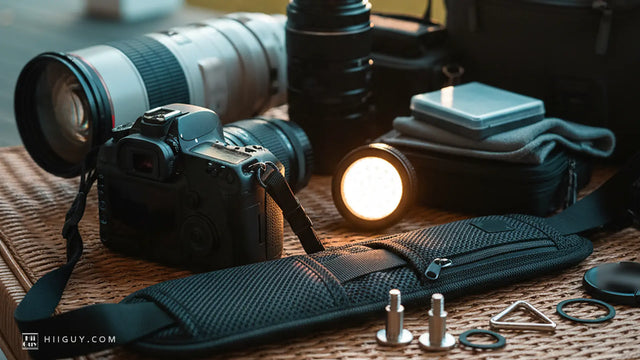
Practising white balance means a lot of standing around in one spot changing one setting and shooting the same thing again. That is the part of learning a camera where it has to be hanging on you comfortably, not back in a bag, because the moment it becomes a chore to pick up you stop testing and go back to auto.
The HiiGuy strap is heavy-duty polyester webbing with a wide padded shoulder pad, a stainless steel quick release and a safety tether running alongside. Two variations, and length is the only difference: the Regular adjusts up to 32 inches on the body, the XXL up to 44 inches. Set high and short like the frame above, the camera comes to your eye without you reaching for it, which is exactly what you want when you are shooting the same scene eight times to compare presets. See it on Amazon.
The short version
Low Kelvin numbers are for warm light and make the picture cooler. High Kelvin numbers are for cool light and make the picture warmer. Incandescent at around 3000K fixes orange rooms, Shade fixes blue snow, Cloudy fixes flat overcast. The presets are factory approximations and your brand's version of Shade may be 1000K away from somebody else's. When it matters, measure it with custom white balance instead of picking an icon.
Go and photograph the same corner of a room on four different presets tonight. The chart makes sense in about ninety seconds once you have seen it happen on your own screen, and it never fully makes sense until you have. The same approach works for the other settings people avoid, which is more or less the argument we made in what the letters on the mode dial mean.