You hiked in, you found the falls, you took forty photographs, and not one of them looks like the thing you were standing in front of. The water came out as a spray of frozen white pellets, or as a blown-out smear with no shape in it at all. Nobody tells you that the difference between those two failures and the photograph you wanted is a single dial.
Waterfall photography settings get written up as a mood board when they are really a ladder. One number, moved one rung at a time, and the water changes character at each step. Here is the whole ladder, what each rung does, and the exact point where you stop being able to do this handheld.
Shutter speed is just asking how far a drop travels
Strip the romance out of it and this is simple. While the shutter is open, every drop of water in front of you keeps moving. The sensor records the whole journey as a streak.
At 1/1000 of a second a drop moves almost nowhere, so it lands on the sensor as a dot. At two seconds that same drop crosses a huge distance, and thousands of overlapping streaks average out into something smooth and milky. Silky water is not an effect. It is motion blur that you chose on purpose.
Which means the right number depends on how fast your particular water is moving and how large it is in the frame. A thundering spring torrent needs a faster speed than a thin trickle to reach the same look, and a fall shot wide from a distance needs longer than the same fall shot tight. Treat everything below as a starting rung, then look at your screen.
The ladder, from 1/500 to four seconds
| Speed | What the water does | Handheld |
|---|---|---|
| 1/500+ | Single drops frozen in the air. Spray reads as pellets. | Yes |
| 1/250 | Still frozen, edges just starting to soften. | Yes |
| 1/125 | Neither one thing nor the other. Mushy. | Yes |
| 1/30 | Direction appears. You can see which way it falls. | Just |
| 1/8 to 1/4 | The classic look. Smooth, with threads still visible. | No |
| 1/2 to 1 s | Ribbons. Individual structure is gone. | No |
| 2 to 4 s | A sheet of fog. Leaves and branches blur too. | No |
Most people who like the look settle somewhere between 1/4 and one second. That band keeps enough thread and texture that the water still reads as water. Push to four seconds and you get the dramatic version, but you also lose the detail that proves there was something real there, and every leaf and branch in the frame starts smearing with it.
Going the other way is underrated. At 1/500 and faster you get the violent version, all suspended droplets and frozen chaos, and on a big powerful fall it can be far more interesting than another soft white ribbon. It is also the only one of these you can shoot in bright sun without any extra equipment.
Avoid the middle
Here is the opinion. The range from about 1/125 to 1/30 is the worst place to be, and it is exactly where a camera on auto will put you. Not fast enough to freeze anything crisply, not slow enough to smooth anything convincingly. The water just looks slightly out of focus.
If you are unsure, commit in one direction or the other. Clearly fast or clearly slow both look deliberate. The middle looks like a mistake, because it is one.
Why waterfall photography settings fall apart in daylight
This is the wall everyone hits, and it is worth doing the arithmetic once so you stop blaming yourself.
Take a bright sunny day. The old sunny 16 rule puts you at roughly f/16, ISO 100, 1/100 of a second for a correct exposure. Now say you want one second instead.
Going from 1/100 to a full second is about six and two thirds stops of light you need to get rid of. Your ISO is already at base, so there is nothing there. Closing from f/16 to f/22 buys you exactly one stop. That leaves you around five and a half stops short, with no dials left to turn.
There is no clever setting. The light is simply too bright for the photograph you want, and that is the entire reason neutral density filters exist.
ND filters, and the only numbers you need
An ND filter is sunglasses for the lens. It removes light without changing colour, so you can use a slow shutter in conditions that do not allow one.
The labelling is confusing because manufacturers use three systems for the same thing. Published filter specifications line them up like this:
| Name | Stops | Density |
|---|---|---|
| ND8 | 3 | 0.9 |
| ND64 | 6 | 1.8 |
| ND1000 | 10 | 3.0 |
The number after ND is the division factor. ND8 passes about an eighth of the light, ND64 about a sixty-fourth, and an ND1000 passes roughly a tenth of one percent of what hits it, which the published figures put at 0.098% transmission.
The maths is the easiest part of photography. Every stop doubles the time. Meter the scene without the filter, then multiply. Meter 1/125 and fit a 10-stop, and 1/125 multiplied by 1000 is about eight seconds. Meter 1/100 in that sunny 16 example and fit a 6-stop, and you land at about two thirds of a second, which is right in the band you wanted.
If you buy one filter for waterfalls, buy the 6-stop. A 10-stop is built for bright open seascapes and midday rivers, and inside a shaded gorge it will push you to twenty seconds and beyond, where the photograph stops being about the water.
You may already own a stop or two without realising. A circular polarizer eats light as a side effect, with published filter factors running from about one stop to two depending on the model, so check the figure for yours. It is worth having on anyway near water, because it is the only filter that cuts the white glare off wet rock and lets you see into a pool.
Grey days are free stops
There is a reason the good waterfall photographs are nearly all shot under cloud, and it is not only that the light is softer.
Overcast and deep shade are darker, and darker means a slower shutter without buying anything. A gorge under tree cover in the hour after dawn can be dim enough to reach a quarter of a second at base ISO with no filter at all. Direct sun also does something unpleasant to white water, blowing the highlights on the brightest ribbons while the rock beside them goes black.
Do not take a number for this from an article, including this one. Point the camera at the scene, read what the meter gives you at base ISO and your working aperture, and work out from there how many stops you still need. The answer in a dark gorge is often zero.
Where the tripod stops being optional
This is the honest end of the ladder, and the bit most guides mumble.
Handheld, with stabilisation helping and good technique, most people hold a wide lens steady somewhere around 1/60. By 1/15 almost nobody is getting a sharp frame. Everything from 1/8 downward, which is to say everything in this article worth hiking for, needs the camera on something solid. There is no breathing technique and no stabilisation system that substitutes for it, and the blur you get instead is the ordinary camera-shake kind we went through in why your indoor photos come out blurry.
Once it is on a tripod, add a two second self timer or a remote release. At one second of exposure, the push of your own finger on the shutter button is a real vibration, and it will soften the rock even though the camera never moved afterwards. If you do not own a tripod yet, we went through the ones worth carrying in best budget tripods for travel photography.
One thing that is not the limit: your camera. Nikon's published specification for the Z6III gives a range of 1/8000 to 30 seconds, extendable to 900 seconds in manual mode, plus bulb and time. Canon's published specification for the EOS R6 Mark II gives 30 seconds to 1/8000 with bulb on the mode dial. Four seconds is nowhere near the end of what any of these bodies will do. Light is the constraint, never the shutter.
Set the camera to shutter priority, marked S on Nikon and Tv on Canon, if you want to pick the number and let the camera handle the aperture. Manual is better once a filter is on, because the camera's meter struggles to see through ten stops of dark glass. We laid out which letter does what in the mode dial, one row at a time.
Getting there, and getting back

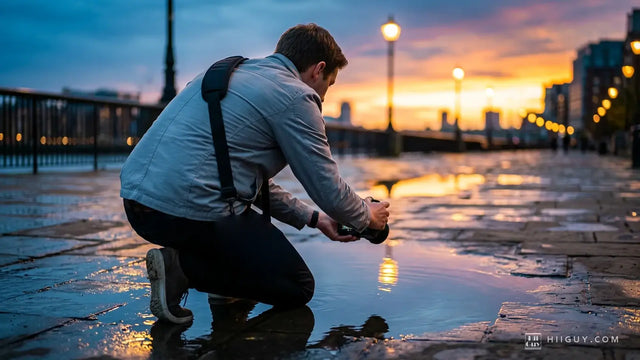
Waterfalls involve wet rock, bad footing and usually a scramble, often with a tripod in one hand. That is the situation where a camera swinging off your neck becomes an actual hazard rather than an annoyance, because you want both hands free and you want the body pinned somewhere it cannot clatter into granite.
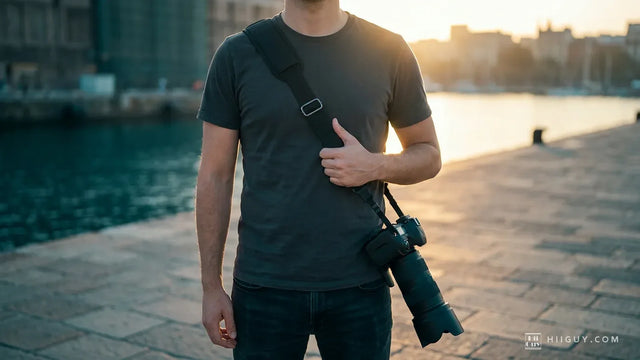
The HiiGuy strap is heavy-duty polyester webbing with a wide padded shoulder pad, a stainless steel quick release and a safety tether alongside it, worn across the body as in the frame above so the camera rides behind your hip while you climb. It comes in two variations and length is the only difference: the Regular adjusts up to 32 inches on the body and the XXL up to 44 inches, which is the one for a taller build or for carrying over a rain shell. See it on Amazon.
The short version
Faster than 1/500 freezes the drops. Around 1/4 to one second is the look most people are chasing. Two to four seconds turns it to fog and blurs the trees with it. Skip the range in between 1/125 and 1/30, because it reads as a mistake.
In bright sun you are about five stops short of a one second exposure and no setting closes that gap, so carry a 6-stop ND or shoot on a grey morning instead. Anything slower than 1/8 needs a tripod and a timer, not better technique.
Shoot the same fall at 1/500, at 1/4 and at two seconds before you leave. Three frames, one dial, and you will never have to look up the numbers again because you will have seen what they do.