A memory card is the only thing in a camera bag that is covered in symbols and explains none of them. There is a number inside a C. A number inside a U. A number beside a V. Then two more numbers in megabytes per second, printed in the largest type on the packet, and those two have the least to do with whether your camera records properly.
This is SD card speed class explained the way it ought to be printed on the back: what each marking guarantees, which one your camera actually reads, and which number you are allowed to ignore. Read it once and you will never stand in front of a wall of cards again wondering whether the expensive one is doing anything.
A note before the symbols, because people buy the wrong card for this reason more often than for any speed reason at all.
The letters come first, and they are about size
SD, SDHC, SDXC and SDUC are not speeds. They are capacity families, and the SD Association sets the boundaries. Plain SD stops at 2 GB. SDHC covers everything above 2 GB up to 32 GB. SDXC runs from there to 2 TB. SDUC goes beyond that, to a ceiling of 128 TB that nothing you can buy is anywhere near.
The boundary that matters in practice is the one at 32 GB, and it is not about space. SDHC cards are formatted FAT32, and FAT32 cannot hold a file bigger than 4 GB. SDXC cards use exFAT, which has no limit you will ever reach.
Canon states the consequence plainly in the EOS R50 guide: format an SDHC card in the camera and it comes out FAT32, and if a recording passes 4 GB a new movie file is created automatically. Format an SDXC card and it comes out exFAT, and the recording stays as one file however long it runs.
Both work. One of them hands you a clip chopped into pieces at arbitrary moments, which you then get to rejoin in an editor. If you shoot any video at all, the smallest sensible card is 64 GB, not because you need the room but because of which side of that line it sits on.
SD card speed class explained, in one paragraph
Three systems exist, they all measure the same thing, and the number in each one is that measurement. The thing being measured is the slowest the card is allowed to get while writing continuously, in megabytes per second.
The original Speed Class is a number in a C: Class 2, 4, 6 and 10. The UHS Speed Class is a number in a U, and only two exist, U1 and U3. The Video Speed Class is a V with a number after it, and the SD Association defines V6, V10, V30, V60 and V90.
So a V30 card promises it will not fall below 30 MB/s while writing. A U3 card promises exactly the same thing, which is why so many cards carry both marks. A Class 10 card and a U1 card are both promising 10 MB/s, and so is a V10. The SD Association's own documentation says so in passing, in a sentence about mismatched hosts that mentions Class 10, U1 and V10 as all "indicated to the same 10MB/sec write speed".
That is the whole system. Everything else is which bus the mark is allowed to live on.
Why one measurement needs three systems
Because each one was introduced for a faster generation of card, and none of the old marks were ever withdrawn.
The SD Association ties the classes to bus modes. Class 10 is used in High Speed mode or faster. U1 and U3 need SDR50 or DDR50 or faster. V60 and V90 are only used in UHS-II mode or faster. That last one is the useful fact hiding in the list: a V90 card cannot deliver V90 in a camera that has no UHS-II contacts, because the road is not there.
The same documentation carries a warning most buyers never see. Pairing a class on the card with a different class on the host does not give you the speed either of them claims, even when the two marks mean the same number. A card and a camera have to be speaking the same mode for the floor to hold.
Practical reading: match the mark to what your camera supports, and do not pay for a class your camera cannot reach.
The big number on the front is a read speed
Look at how cards are actually sold. One of the SanDisk Extreme PRO cards leads with 200 MB/s. The Samsung PRO Plus leads with 180 MB/s. A Lexar 2000x leads with 300 MB/s.
Those are read speeds, measured on the card's best day, on a bus most cameras do not have. They describe how fast the card empties into your computer. They say nothing about whether it can keep up while filling.
Write speed is the one that decides whether a recording stops and whether your burst stalls, and it is always the smaller number. On that same Extreme PRO, the write figure quoted is 90 MB/s, less than half the headline. The guaranteed floor underneath it is the V30 mark, which is 30 MB/s.
Three numbers for one card, then: a read speed for the shop window, a best-case write speed, and a class that is a promise rather than a boast. Buy on the third one.
What your camera is actually asking for
This is where a lot of expensive cards get bought for no reason.
Canon publishes a card requirement for every recording mode on the EOS R50, and the camera is UHS-I only. Its 4K UHD at 29.97 or 23.98 fps wants UHS Speed Class 3 or higher. Full HD at 29.97 or 23.98 fps wants SD Speed Class 6 or higher. Not U3. Class 6, a mark that has been on cheap cards for over a decade. The most demanding thing that camera does is satisfied by a U3 or V30 card, and a UHS-II card in that slot runs at UHS-I speed and costs more for nothing.
Nikon's Z50II is the other case, and it shows how the labelling itself causes confusion. The camera takes UHS-I and UHS-II. Nikon's manual recommends UHS Speed Class 3 or better for video recording and playback, then adds that for video with a high frame size or rate it recommends UHS Speed Class 3 or better cards "with a maximum data transfer rate of at least 250 MB/s", and warns that slower speeds may interrupt recording or playback.
Read that twice. One sentence, two different kinds of number: a class, which is a guaranteed write floor, and a maximum transfer rate, which is a headline read figure. Both are real requirements and they are not the same measurement, and no camera manual anywhere explains the difference. If you have ever wondered why you could not tell which card to buy, that sentence is why.
So before buying anything, open your own camera's manual and find the card requirement for the mode you actually shoot in. It takes two minutes and it is the only research that applies to you.
A1 and A2 are about phones
You will see an A1 or A2 on cards, usually microSD. These are the Application Performance Classes, and they measure something different again: random access, in operations per second, for running apps off the card.
The SD Association sets A1 at a minimum of 1,500 random read IOPS and 500 random write IOPS. A2 raises that to 4,000 and 2,000, plus 10 MB/s sustained sequential, using command queuing and caching to get there.
A camera writes large files in long sequential runs. It does not care about random IOPS. If you are buying a card for a phone, a tablet or a handheld console, A2 is worth having. For a camera, it is a mark you can walk straight past.
Four cards, and what each is for
Some of the links in this section are affiliate links, which means HiiGuy earns a small commission if you buy through one. It changes nothing about what is recommended here, and the markings quoted are the ones printed on each card.
Stills only, and nothing demanding
The SanDisk Ultra 128GB SDXC carries C10 and U1 and no V mark at all. Read it against the table above and it tells you exactly what it is: a 10 MB/s floor, fine for stills and Full HD, and specifically not enough for 4K on a camera that asks for UHS Speed Class 3. It is the card most people already own, and the card most people are surprised by when a 4K clip stops.
The one most cameras actually want
The SanDisk Extreme PRO 128GB SD is C10, U3 and V30 on a UHS-I bus, with a quoted 200 MB/s read and 90 MB/s write. For a UHS-I camera like the R50 this is the ceiling of what the slot can use, and the V30 mark covers every mode in Canon's own requirement list. Spending more than this on that camera buys nothing.
The same job, a different brand
The Samsung PRO Plus 128GB full-size SDXC is also UHS-I with C10, U3 and V30, quoted at up to 180 MB/s. Functionally it is in the same bracket as the card above and the guaranteed floor is identical. Buy whichever is cheaper on the day, and keep two rather than one big one, because a card failing with a whole shoot on it is worse than a card failing with half.
Only if your camera has the second row of contacts
The Lexar Professional 2000x 128GB SDXC is UHS-II, V90, quoted at 300 MB/s read. Turn any card over: a UHS-II card has a second row of pins that a UHS-I card does not. If your camera's slot has no matching row, this card will work and will behave like a good UHS-I card, which is a lot of money for a mark the camera cannot read. In a body that does have it, V90 is a 90 MB/s floor and it is the right answer for high bit rate video and long bursts.
The part that holds all of it up

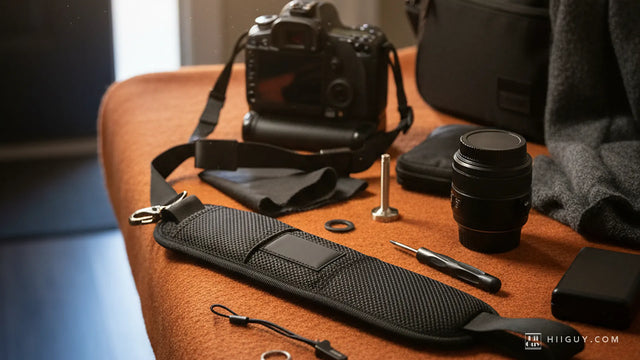
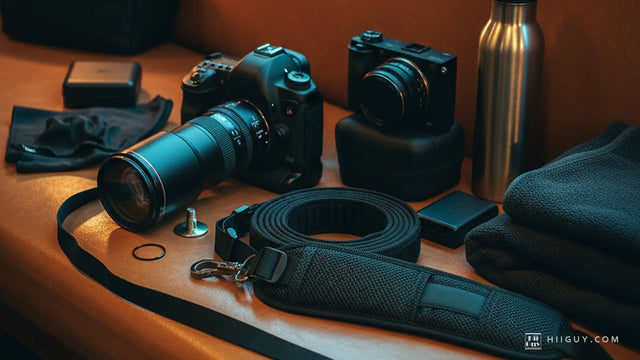
That is our own photograph, and the reason it belongs at the end of a piece about memory cards is the bit of hardware you can see under the camera. The card costs a fraction of the lens. The thing hanging the lens off a shoulder is the only component in that picture whose failure drops everything else onto concrete.
The HiiGuy camera strap runs on heavy-duty polyester webbing. The shoulder end carries a wide padded shoulder pad. The camera end carries a stainless steel quick release and rustproof metal fittings, and a safety tether ships in the box rather than being sold separately. There are two variations, and how far each one adjusts on the body is the only thing separating them: Regular adjusts up to 32 in, XXL adjusts up to 44 in, and the webbing, pad, quick release and tether are the same in each. HiiGuy has made these in Los Angeles since 2016 and backs the strap with three full years of warranty. See it on Amazon.
The short version
Buy 64 GB or larger so you are on exFAT and your video does not get chopped at 4 GB. Ignore the big megabytes-per-second number on the front, because it is a read speed. Find the class mark, because the number in it is the write floor in megabytes per second and that is the only guarantee on the card. Check what your camera's manual asks for, and buy that class rather than the biggest one in the shop. Skip A1 and A2 unless the card is going into a phone. Match UHS-II only to a camera with UHS-II contacts.
If you are building a kit from scratch rather than replacing one card, five photography essentials every beginner actually needs covers what else earns its place, and what actually goes in a travel camera bag is the version for a trip where you cannot nip home for the thing you forgot.