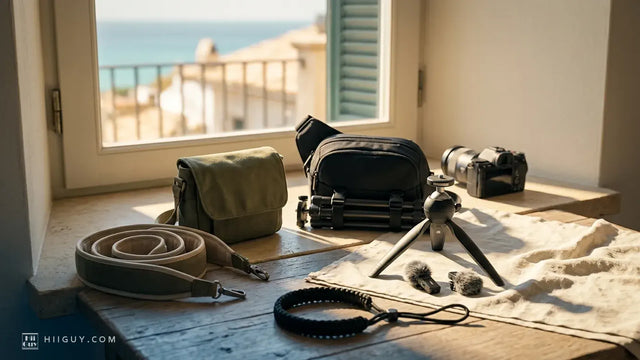
You notice it in the wrong light. A short bright line on the lens barrel, or a cluster of fine marks on the shoulder of the body near the strap lug, and you cannot remember a single moment that would have caused them. Nothing fell. Nothing got dropped in a bag. The camera has lived on a strap and nowhere else.
That is the answer. People shopping for a professional camera strap spend their time on webbing width and shoulder padding, which is the comfortable half of the decision, and almost no time on the small metal parts at the camera end. Those parts are the only piece of the whole system that touches your camera, and they are harder than it is.
This is not the pre-purchase checklist. This is the one you read after the marks are already there.
Four places the metal meets the camera
Take the strap off and look at what is left behind on the body. There are only ever four candidates.
The lug itself. The eyelet on the camera is a metal loop in a plastic or metal shoulder. Whatever you hang on it sits in that loop and rocks in it every time you move.
The split ring or clip in the lug. On most straps this is the part doing the damage. A split ring is a coil of spring steel with a cut edge, and it turns freely in the lug all day. On a clip-based strap it is a snap hook instead, doing the same thing with more mass.
The connector hanging below it. Quick releases, swivels, buckles. Anything bolted between the ring and the webbing hangs below the lug and taps the body shoulder whenever the camera settles.
The far end of the strap. The second lug has the same hardware, and on a crossbody or sling setup the tail of the strap with its adjuster on it swings across the back of the camera and the screen.
Only the first of those is fixed. The other three move, and they move thousands of times a day.
The metal always wins, and the numbers say why
This is not a fair fight and it was never going to be. Published material figures put the yield strength of a magnesium alloy of the kind used in camera chassis at roughly 25,000 psi, against something in the range of 33,000 to 74,000 psi for a stainless steel. The same comparison puts the magnesium's stiffness at under a quarter of the steel's. An entry-level body is a plastic shell over a metal frame, which is softer still at the surface where the marks appear.
So the hardware is not going to lose. Every strategy that works is a version of the same idea: keep the two metals from touching, or stop them moving against each other when they do.
Worth being honest about what the marks are. These are cosmetic. A worn patch beside a strap lug has never stopped a shutter firing and it is not a structural problem. It is a resale problem and an irritation problem, and both of those are real enough to fix.
The camera makers already solved this, quietly
Here is the part that convinces people, because it is not an opinion from a strap seller.
Open Fujifilm's own manual for the X100VI or the GFX100RF and read the strap attachment page. Before you put the clip anywhere near the camera, the instructions have you place a protective cover over the eyelet, black side facing the camera. Then a supplied tool holds the clip open so it can be rotated through the eyelet until it clicks shut. A dedicated barrier, a dedicated tool, and a page of the manual, all for the problem of a metal clip sitting against a metal camera.
Canon does the same thing in a different shape. Its published instructions for attaching the strap on an EOS body describe passing the ring through the holder, turning it, and then sliding a cap along until it clicks into place over the ring. The cap is a sleeve that goes between the hardware and the body, and Canon is specific that the order of the steps matters. Its only printed warning on that page is the other half of the story: if the strap is not attached correctly, the camera may fall.
Both of those parts get lost or thrown away within a week of unboxing, usually by someone who could not see what they were for.
What to do about marks that are already happening
In the order worth trying, cheapest first.
Put the protector back. If your camera came with leather tabs, plastic caps or those small black covers, they are in the box the camera came in. Nobody throws away a camera box. Fitting them takes two minutes and solves most of this outright.
Check the ring is the right size. A split ring too thick for the lug sits jammed and grinds in one spot rather than turning freely. A ring too thin rattles. Neither is a strap problem, it is a parts problem, and replacement rings in the correct size cost almost nothing.
Move the connection further from the body. This is the real fix and the one that changes the most. If the hardware hangs on a short cord or a tab rather than sitting hard against the lug, it cannot reach the body to tap it. Straps that attach through a window in a fabric tab are built on exactly this idea.
Shorten the strap. Marks that appear on the back of the camera and around the screen are swing damage, not lug damage, and they come from a camera hanging low enough to turn and slap. We went through the rest of that in how to stop a camera swinging when you walk.
Stop mixing hardware. Two different quick release systems stacked on one lug is twice the metal and twice the leverage. One connector per lug, and nothing dangling off it.
What a professional camera strap gets right at the camera end
Our own Amazon search-term report for the period ending 12 August 2026 shows where attention goes. "Camera strap quick release" drew 464 impressions and "camera strap with quick release" another 223, while "quick release safety tether" picked up 30. People have worked out that the connector is the interesting part. What they are mostly asking is whether it is fast, when the better question is what it is made of and how it hangs.
Three things to look at before you buy anything.
The material of the connector. Plated zinc wears through to bare metal and then sheds a grey smear onto whatever it touches. Stainless does not plate off, because there is no plating.
Whether it hangs or sits. Hold the strap up by the webbing and look at the connector. If it can swing freely and the swing arc reaches where the camera body would be, it will find the camera.
Whether there is a second path for the load. A tether running alongside the main connection is usually sold as a safety feature, and it is one, but it also stops the main connector from being the only thing taking the shock when the camera settles.
What we use

Look at the clip in that frame, hanging below the body on the black webbing with the tether cord beside it. That is the part this whole article is about, and it is the part most photographs of straps crop out.
The HiiGuy strap uses a stainless steel quick release with rustproof metal fittings, a safety tether running alongside it, heavy-duty polyester webbing and a wide padded shoulder pad. Stainless matters here for a duller reason than corrosion: there is no finish on it to wear through and transfer. There are two variations and length is the only difference between them. The Regular adjusts up to 32 inches on the body and the XXL up to 44 inches, which is the one to pick if you are tall or broad or wearing a coat over it. Every HiiGuy strap carries a 3 year warranty. See it on Amazon.
No strap makes the contact point disappear. Something has to hold the camera. What a good one does is put the hardware where it hangs clear, make it out of a metal that does not shed, and give you enough adjustment that the camera sits high and still instead of low and swinging.
The five minute version
If you only do one thing today, take the strap off and look at the lugs with the camera in good light. You will see immediately whether the marks are at the lug, which means hardware contact, or spread across the back and the screen, which means swing. Those are different problems with different fixes, and almost everybody guesses wrong about which one they have.
Then put the protectors back on. They were in the box, and they exist because the people who built your camera already knew what we have been describing. If you want the full version of what the connector is doing while it is on there, we broke that down in what a quick release actually does.