You pointed the camera at a face. The hedge behind the face is beautifully sharp. The face is not. You were in single point, you put the point on the eye, and it still missed, which makes no sense until you find out that the two settings you have been treating as one setting are two settings.
Almost every cheat sheet for camera focus modes has a row missing. It lists AF-S, AF-C and AF-A, or One-Shot and AI Servo, and stops there. That is half the system. The focus mode decides when the camera focuses. A second menu, the focus area, decides where it looks. Get the first one right and the second one wrong and the camera will do exactly what you asked, perfectly, to the hedge.
Here is both halves, in the manufacturers' own words, and the honest caveat that no universal chart for the second half can exist.
Camera focus modes: the half that decides when
This is the setting most people already know, usually under a button or a menu item called AF mode or AF operation.
| Nikon | Canon | What it does | Use it when |
|---|---|---|---|
| AF-S (Single AF) | One-Shot AF | Focuses once and locks while you hold the shutter halfway | The subject is standing still |
| AF-C (Continuous AF) | AI Servo AF / Servo AF | Keeps adjusting focus continuously while you hold the shutter halfway | The subject is moving |
| AF-A (AF mode auto-switch) | AI Focus AF | Switches between the other two for you, based on whether the subject moves | You genuinely do not know yet |
| AF-F (Full-time AF) | Movie Servo AF | Adjusts continuously as the subject or the framing changes | Video only |
| M / MF | MF | You turn the ring | See the last section |
Nikon's D780 manual describes AF-S as being for stationary subjects, with focus locking while the shutter-release button is held halfway, and AF-C as being for moving subjects, with the camera adjusting focus continuously in response to changes in distance. Canon's EOS-1D X Mark III manual puts One-Shot AF almost identically, saying it suits still subjects and the camera focuses only once, and it names the behaviour: hold the button halfway and the focus stays locked while you recompose, which Canon calls focus lock.
Two details from those manuals are worth having. Nikon's D780 page notes that AF-A is available only during still photography and AF-F only during movie recording, so if you cannot find one of them on your body, that is why. And Canon's EOS R50 manual describes AI Focus AF as switching automatically from One-Shot to Servo based on subject status while you hold the shutter halfway, which is a more precise description than "it decides for you".
Half two: the focus area decides where
This is the menu people skip, and it is where the sharp hedge comes from. Same two makers, same source pages.
| Nikon | Canon | What it does | Use it when |
|---|---|---|---|
| Single-point AF | 1-point AF | Focuses on the one point you chose, and nothing else | You know exactly where the subject is and it stays there |
| (no direct equivalent) | Spot AF | Focuses in a narrower area than 1-point | Something small behind something else |
| Dynamic-area AF | AF point expansion / Expand AF area | Your chosen point, helped by the surrounding points if the subject slips off it | The subject moves but you can roughly keep up |
| 3D-tracking | (tracking in Servo) | Follows a subject that leaves your chosen point and picks new points as needed | Erratic side to side movement |
| Group-area AF | Zone AF / Flexible Zone AF | A block of points rather than one | Small subject against a busy background |
| Auto-area AF | Automatic selection / Whole area AF | The camera chooses, and prioritises a face if it finds one | You want the camera to take the decision |
The wording in that table follows the manufacturers closely on purpose. Nikon's D780 manual describes single-point AF as focusing on a point selected by the user, and dynamic-area AF as focusing on the user's point but drawing on information from surrounding focus points if the subject briefly leaves it. Nikon's D850 guide puts group-area AF in terms of what it prevents: focusing using a group of points reduces the risk of the camera focusing on the background instead of on the main subject. That sentence is the whole answer to the sharp hedge.
Canon's descriptions line up. The EOS-1D X Mark III manual calls Spot AF focusing in a narrower area than 1-point, and says AF point expansion uses your manually selected point plus the surrounding ones, which it calls effective for moving subjects that are difficult to track with 1-point. Its Zone AF divides the area into nine focusing zones, and Large Zone AF into three, left, centre and right.
The combinations that do not exist
This is the part that sends people in circles, because the camera does not explain it. Some areas simply are not offered in some modes, and the option quietly disappears rather than greying out with a reason.
Nikon's D780 manual is explicit about it: dynamic-area AF and 3D-tracking are available when AF-A or AF-C is selected. Not AF-S. If you are in AF-S and wondering where tracking went, it was never there. The same page notes the restriction running the other way in live view, where pinpoint AF is available only when AF-S is selected.
Canon documents the dependency differently, as a behaviour rather than a restriction. The EOS R50 manual says that with Expand AF area, when Servo AF is used you first focus using an AF point, and the EOS-1D X Mark III manual says that although with AI Servo the camera must be able to focus on your initially selected point, expansion still makes it easier to hit the subject than Zone AF does. In other words, the area mode behaves differently depending on which focus mode is loaded above it. It is not two independent dials. It is one setting on top of another.
Why a universal focus area chart is wrong by construction
Here is the thing the cheat sheets will not tell you, because it ruins the format. The list of focus areas on offer, and the numbers attached to them, are specific to your body.
Nikon's published specifications put the D5600 at 39 AF points, with dynamic-area offered in 9, 21 or 39 point versions. The D7500 is listed at 51 points, with dynamic-area at 9, 21 or 51, plus group-area, which the D5600 does not have at all. Go further up and the numbers change again: the D850 guide describes dynamic-area in 9, 25, 72 and 153 point sizes, and suggests 72 points for unpredictable movement such as football players and 153 for fast subjects such as birds. The D780 manual lists 9, 21 and 51.
So a chart that tells you to "use 21-point dynamic area" is giving an instruction that is meaningless on some bodies and unavailable on others. What survives across all of them is the principle, which is why this piece gives you that instead: a smaller area for a subject you can hold, a larger area for one you cannot, and Nikon's own note that the greater the number of focus points, the wider the area used for focus.
If what you are actually fighting is movement rather than placement, the shutter speed side of that argument is in why your indoor photos come out blurry, and the mode dial sitting above all of this is in the mode dial, one row at a time.
The row where the right answer is to turn autofocus off
Every chart should have one of these and almost none do.
There are situations where no combination of mode and area will work, because the autofocus system is being asked to solve a problem it cannot see. Shooting through a window, through a fence, through foliage in front of the subject. A scene with almost no contrast, like fog or a blank wall. Night work where there is not enough light for the system to lock onto anything. Macro distances, where the depth of field is so thin that the focus point is a blunter instrument than your own hand.
Nikon's D850 guide puts the case for manual focus plainly: it is there for lenses that do not support autofocus, or for when autofocus does not produce the desired results. The second half of that sentence is permission. Switching to manual is not a failure of the system or of you. It is the correct setting for a specific and fairly common set of scenes, and knowing which ones saves more frames than any tracking mode will.
The practical version: if you have half-pressed three times and the lens has hunted all the way through its range each time, stop. The answer is not a different area mode.
How to actually set this, in order
Two questions, in this order, every time.
Is it moving? No, AF-S or One-Shot. Yes, AF-C or AI Servo. That is the whole of the first decision, and it takes a second.
Can I keep a single point on it? Yes, single point or 1-point. No, go wider: dynamic-area or expansion if it is drifting, group-area or zone if it is small against clutter, tracking or auto-area if it is genuinely unpredictable.
Doing it in that order matters, because the second question has different answers available depending on how you answered the first. Doing it the other way round is how people end up selecting an area that quietly does nothing.
We put the equivalent two-question version for exposure in camera settings by scenario, which is the chart to keep next to this one.
One thing that is not a setting
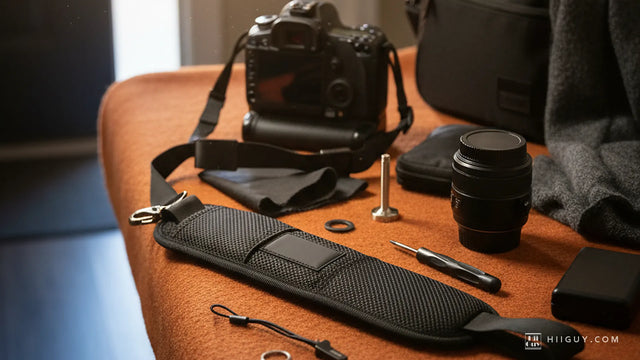
Half the out-of-focus frames people blame on focus modes are frames where the camera moved, and a surprising number of those are a strap problem rather than a technique problem. A camera swinging on a loose strap gets grabbed and lifted in one motion, and the half-press happens while it is still settling.

The HiiGuy strap is built around that moment. It uses a wide padded shoulder pad so the body sits in one place instead of sliding, heavy-duty polyester webbing, a stainless steel quick release for getting the camera off for a tripod, and a safety tether as a second line. It comes in two variations: the Regular adjusts up to 32 in on the body, the XXL up to 44 in. Length is the only difference between them, and the HiiGuy 3 year warranty covers both. The full specification is on the HiiGuy camera strap product page.
Set the strap so the camera comes up to your eye in one movement and stays still when it gets there. Then the focus mode you picked is the one that decides the frame, which is the entire point of picking it.