Two tabs are open. Two cameras, two spec tables, and about four hundred numbers between them. One body claims thirty frames a second, the other eleven. One says ISO 102,400, the other says 51,200. You have been staring at this for twenty minutes and you are no closer to knowing which camera takes the photograph you want, because a camera spec sheet is not written to help you choose. It is written to be complete, and the marketing page in front of it is written to sell.
The good news is that the honest information is usually right there. It is in the footnotes, in the conditions, and in the small words like "approx" and "maximum" that sit next to the big figures. Here is how to read the table instead of the headline.
Three questions to ask every number
Before any specific spec, there are three questions that dissolve most of the confusion.
Does this change a photograph? Some numbers do. Sensor size, maximum aperture of the lens you will actually own, how low the autofocus will still work. Some numbers describe the camera's internal plumbing and will never once alter what comes out of it.
Under what conditions was it measured? Nearly every impressive figure on a spec sheet has conditions attached. The conditions are not fine print added by lawyers. They are the actual meaning of the number.
Compared to what? A figure with no second figure beside it is decoration. Viewfinder magnification is the clearest case, and we will get to it.
Frames per second, and the footnote underneath it
Burst speed is the spec that gets the largest font and needs the most reading.
Take Nikon's Z50II. Nikon's own product page advertises bursts as fast as 30 photos per second, which is a genuinely remarkable number for a camera at that price. Then look at footnote one on the same page, in Nikon's own words: the C15 and C30 modes are JPEG only, electronic shutter modes, and rolling shutter distortion may occur depending on the subject and the shooting conditions. Nothing there is dishonest. But it changes the number from "thirty frames a second" to "thirty frames a second, as JPEGs, with a shutter that can bend fast-moving subjects". If you shoot RAW, which most people buying a camera like that eventually will, the headline number is not available to you at all.
Sony does the same thing in a different register. The a6700 help guide lists continuous shooting at a maximum of approximately 11 images per second in its Hi+ mode, then adds two qualifications underneath. Shooting in lossless RAW, the maximum is approximately 10. And, in Sony's phrasing, the figure is based on their measurement conditions, and the speed can be slower depending on the shooting conditions.
There is a third number that almost never appears next to either of these, and it is the one that decides whether fast burst is any use: how many frames the buffer will take before the camera stalls. A camera that shoots 30 fps for eight frames and then stops for three seconds is slower, in practice, than one that shoots 8 fps all afternoon. If a maker does not publish the buffer depth, treat the burst figure as a ceiling rather than a rate.
ISO: the range you can use and the range that exists
Spec sheets routinely list two ISO ranges and only advertise one of them.
Sony's a6700 specification page is a clean example of the distinction. Still images: ISO 100 to 32,000. Then, in brackets, extended ISO with a minimum of 50 and a maximum of 102,400. The extended figures are achieved by pushing the file rather than by the sensor becoming more sensitive, which is why they sit in brackets rather than in the main range.
How far this can go is best shown by Nikon's own article on event photography with the D500, where the photographer Todd Owyoung describes a native range of ISO 100 to 51,200, and notes that above that the camera offers HI-1 through HI-5, with HI-5 equivalent to ISO 1,640,000. That number is real and it is also not a setting anyone uses to make a photograph they intend to keep. It exists at the top of the range the way the top speed on a car's speedometer exists.
The useful spec is buried in the same block and nobody advertises it: the default ISO AUTO range. Sony sets it on the a6700 at 100 to 6,400, with the ceiling adjustable. That is the maker quietly telling you where it thinks the camera stops looking good, and it is a far better guide than either end of the headline range.
Battery life is a test score, not your afternoon
This is the spec most worth understanding properly, because it is the one people are most often disappointed by.
Sony's a6700 guide lists approximately 570 still images in screen mode and approximately 550 using the viewfinder. Directly underneath, it spells out exactly how those numbers were produced, under the CIPA standard: one picture is taken every 30 seconds, the power is turned on and off once every ten shots, the zoom is swept between its wide and telephoto ends, at an ambient 77°F, with a specific kit lens and a U3 SD card.
Read that as a description of a day's shooting and it is obviously nothing like one. Nobody takes a photograph every thirty seconds for four and a half hours. The CIPA figure is not a lie and it is not useless either, because every maker runs the same test, so the numbers are comparable between cameras. It is a benchmark, not a forecast. Treat it as a way of ranking two bodies against each other, and carry a second battery regardless.
Cold changes it again. Sony's operating temperature range for that body is 32°F to 104°F, and a battery near the bottom of that range will not deliver what a battery at 77°F did.
Megapixels, sensor size, and the two that get mixed up
The pixel count is the most quoted spec in photography and close to the least useful on its own.
What it needs beside it is the sensor dimensions, which most makers publish plainly. Sony lists the a6700 sensor as APS-C size, 23.3 mm by 15.5 mm, with approximately 26 million effective pixels out of 27 million total. Those two numbers together tell you the size of each individual photosite, and that is the thing that affects noise and dynamic range.
Owyoung makes the same point from the other direction in Nikon's D500 piece, about a camera with a 20.9 megapixel DX sensor producing 5568 by 3712 pixel files. He describes the pixel density as modest, and says that the larger photosites that result mean less noise at the sensor level than a higher resolution sensor would give. A lower number, chosen deliberately. If you want the longer version of how sensor size plays out in the body you end up carrying, we worked through it in DSLR versus mirrorless.
The other detail hiding in that same article is one that never appears in a headline at all: the D500 has no optical low-pass filter, which Nikon's piece explains as the removal of a minute blurring layer intended to reduce moiré. That is a real difference in sharpness, recorded in a single line of a spec table, with no number attached to it whatsoever.
Viewfinder and screen: dots, coverage and the magnification trick
Viewfinder specs are where "compared to what" earns its keep.
Sony lists the a6700 electronic viewfinder at 2,359,296 dots with 100% frame coverage. Dots are sub-pixels, so divide by three for something closer to the pixel count you would quote for a phone screen. Coverage of 100% means the frame you see is the frame you get, which matters more than people expect when you are composing tight.
Then magnification, which is the number most often used misleadingly. Sony gives two figures: approximately 1.07x, and approximately 0.70x in 35mm-format equivalent terms with a 50mm lens at infinity. Only the second one can be compared to another camera, because the first is measured against the size of that specific finder. Any time you see a single magnification figure with no equivalence stated, you cannot compare it to anything.
Screen resolution behaves the same way. The same body's rear monitor is listed at 1,036,800 dots across a 3.0 inch panel, and the inches matter as much as the dots.
Weight, and what the figure is actually weighing
Weight is listed at least two different ways, and the difference is not small.
Sony publishes the a6700 as approximately 1 lb 1.4 oz, in Sony's own conversion, including the battery pack and SD card. That is the honest version, because a camera with no battery in it is not a thing you can use. Plenty of spec sheets quote body only, which can be several ounces lighter and is a measurement of nothing.
Either way, the figure describes the body alone, and bodies are not what hurt. Put a telephoto on the front of that one pound camera and you have tripled the weight hanging off you, nearly all of it forward of the mount. This is the gap between every spec sheet and every actual day of shooting, and it is also the reason people who are perfectly happy with their camera are often quietly miserable while carrying it. If you are weighing up whether you need the bigger body at all, is a bigger camera overkill is the companion question.

That is one of our own photographs rather than a studio shot, and it is the moment no spec sheet describes: the camera at the eye, the lens held up by the left hand, and the weight of both of them parked on one shoulder for the rest of the afternoon.
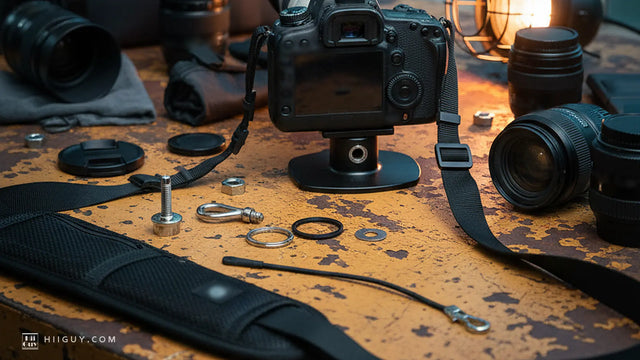
The HiiGuy strap exists for the part of the specification that the table leaves out. Heavy-duty polyester webbing into a wide padded shoulder pad, a stainless steel quick release at the camera end on a screw mount, and a safety tether as a second path for the weight. It carries a 3 year warranty from HiiGuy. There are two variations and length is the only difference between them: the regular adjusts up to 32 in on the body, and the XXL adjusts up to 44 in for taller and broader builds or for wearing the camera low across the body. Both are options on the same Amazon listing.
The specs nobody puts on the front of the box
Four numbers that rarely make a marketing page and are often more useful than the ones that do.
Autofocus sensitivity range. Sony states the a6700's detection range as -3 EV to +20 EV, at ISO 100 with an f/2.0 lens. That lens condition is doing a lot of work. The same body with a slower zoom on the front will not focus as deep into the dark as the figure implies.
Flash sync speed. Listed on that body as 1/160 second with a Sony flash. If you ever want to use flash outdoors against bright sun, this single number sets the limit of what is possible before you start needing tricks.
Mechanical versus electronic shutter range. The same camera gives 1/4000 second with the mechanical shutter and 1/8000 with the electronic one. The faster figure comes with the same rolling-shutter caveat Nikon attaches to its high-speed burst modes.
Where stabilization actually lives. Nikon's Z50II page carries a quiet footnote saying vibration reduction is available in select DX and FX-format NIKKOR lenses, and another saying that electronic vibration reduction changes the angle of view to 1.25 times the focal length in use. Both are facts about what you will see in the frame, printed in six-point type under a photograph.
A camera spec sheet explained in one line
Find the three numbers that will change your photographs, check the conditions attached to each one, and ignore the rest of the table.
For most people those three are the sensor size, the maximum aperture of the lens they will realistically own, and the autofocus sensitivity in low light. Burst rate joins the list if you photograph sport or children. Video specs join it if you shoot video, and should be ignored entirely if you do not, no matter how much of the page they occupy.
Everything else on the sheet is there because somebody had to fill in the form. The camera makers are not hiding the truth from you. They are publishing all of it at once, in the same font, and leaving you to work out which lines matter.